
Chat Integrations Overview
Product Fruits doesn't include a built-in chat widget. However, you can integrate third-party chat applications directly into the Product Fruits interface, so your users don't need a separate chat widget on the page.
Your chat will appear in the Elvin Widget, or in the Life Ring Button if you're on a legacy plan.
Adding Chat to Elvin Widget
- Go to Elvin Copilot > Widget > Editor
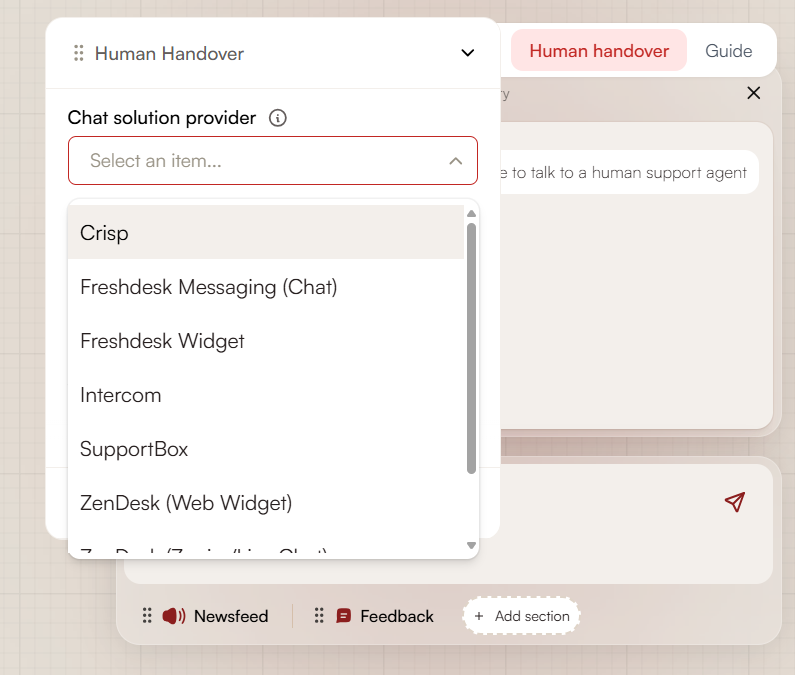
- Under the Human Handover tab, set the type to Chat provider
- Select your chat solution provider from the list
You can configure the chat to appear as a separate button in the widget (so users can access support anytime), or make it accessible only through Elvin Copilot (when users specifically ask for help).
Learn more about editing the Elvin Widget
Adding Chat to Life Ring Button (Legacy Plans)
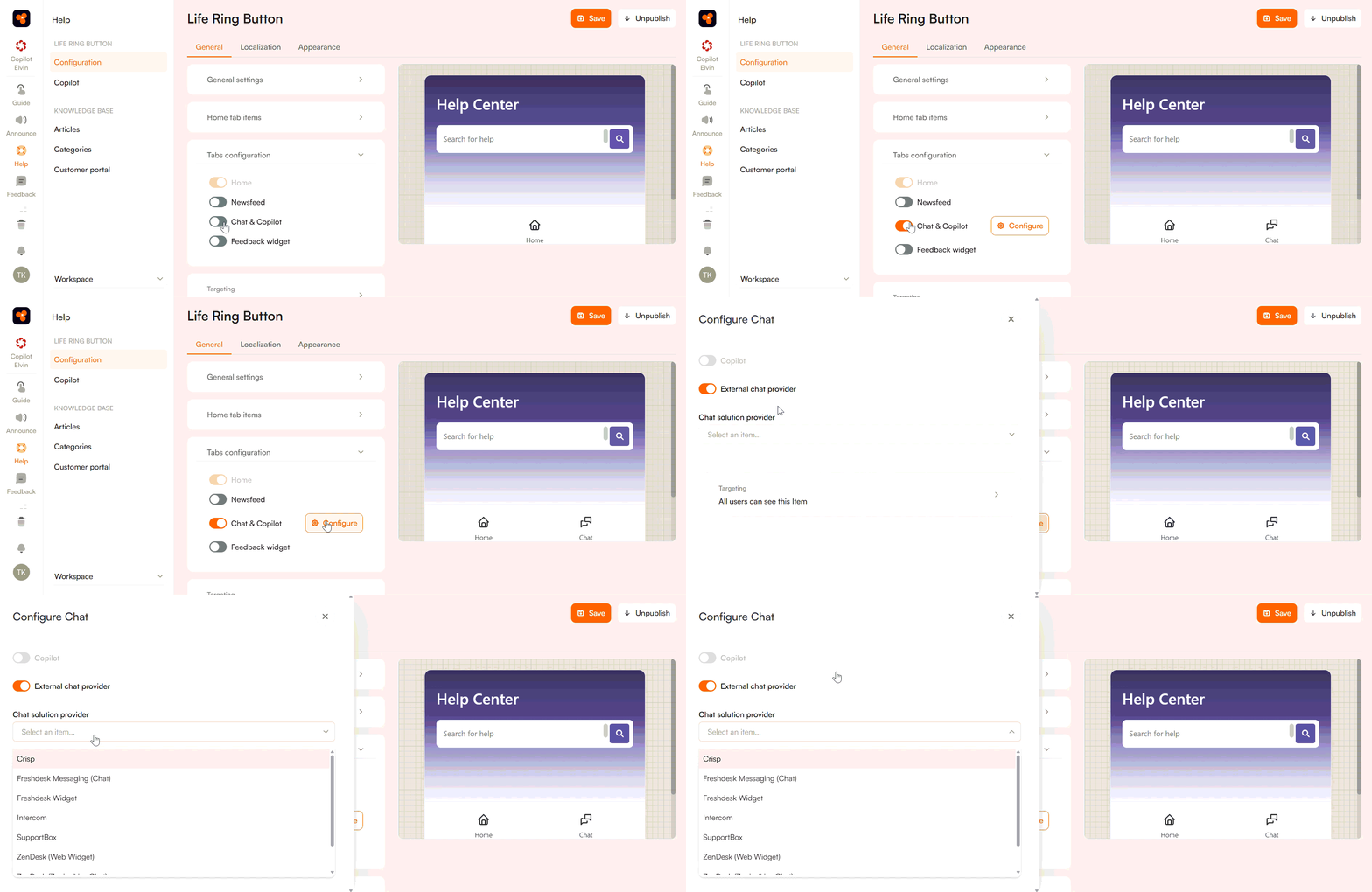
- Go to Knowledge base > Configuration > Tabs Configuration
- Toggle on Chat & Copilot
- Click Configure
- Select your chat provider from the list
You can configure both chat and legacy copilot together, or use just one of them. Learn more
Supported Chat Providers
Product Fruits supports multiple third-party chat providers. Each provider requires its own setup. Please follow the link to learn more.